Compact flat pad
A flat surface with no integrated wrist rest. Consider it when the buyer wants a compact outline, open mouse area or simple campaign format.
- No raised rest
- Outline-led selection
- Artwork across the face
 FDMRUBBER PRODUCTS
Small footprint
A choice of support
Plan promotional mouse pads for bulk orders, employee welcome kits and brand campaigns. Compare compact flat pads and shaped wrist-rest formats, then prepare your quantity, artwork and packing brief around the way the pad will be used.
A small outline and a raised rest solve different selection questions. Compare the working area and the available desk space before choosing the printed design.
A flat surface with no integrated wrist rest. Consider it when the buyer wants a compact outline, open mouse area or simple campaign format.
An integrated rest adds a support profile at the front. Review its height, shape and filling separately from the printed mouse surface.
Format illustrations show the difference in layout, not finished dimensions or a confirmed support filling.
Compare the visual directions below, then bring your own artwork to the selected format. The sample defines the finished construction.
An illustrated face with a shaped rest area. Review the surface and support profile together.
Raised-rest exampleCompare this optionA softer print direction with an integrated raised rest. Artwork does not define the filling.
Raised-rest exampleCompare this optionGraphic examples for smaller desktop accessories, retail ranges and promotional artwork.
Printed-flat examplesCompare this optionRound and rectangular examples. Select the usable area before choosing the finished outline.
Shape examplesCompare this optionExamples shown. Dimensions, filling and finish are agreed for your selected format.
Layout illustration · Send your dimensions rather than relying on the proportions shown
Do not choose from the outside silhouette alone. The keyboard position, mouse movement and raised-rest area all affect the space the buyer can use.
Measure the width and depth available beside the keyboard.
Check movement on the face, excluding the raised rest when present.
Review where the hand meets the support on the actual sample.
Match the product format to the program. A retail accessory, employee desk kit and event giveaway each need a different approach to artwork and presentation.
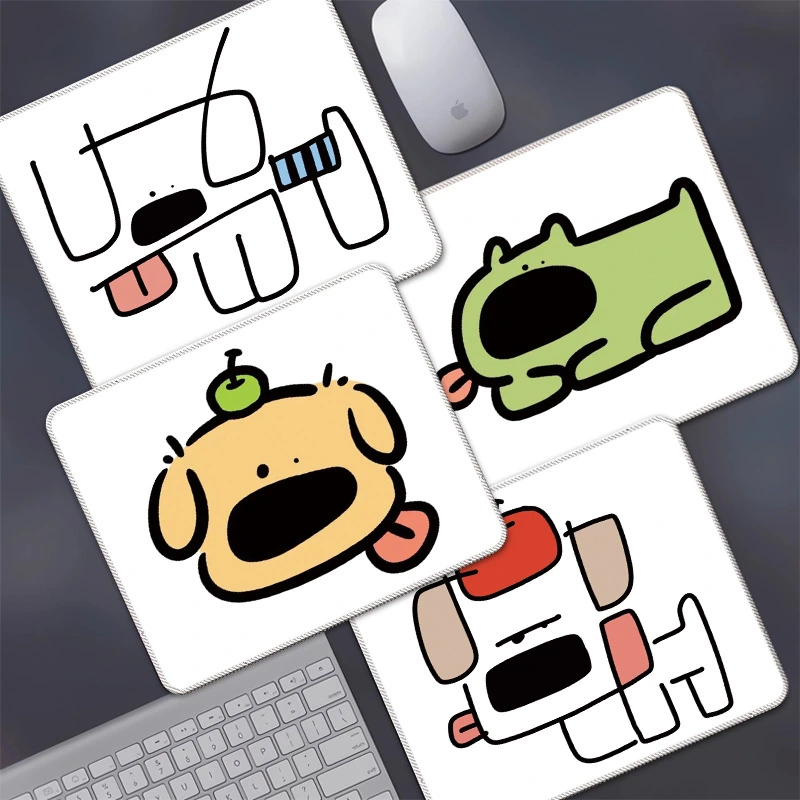
Specify the flat or wrist-rest format alongside the desk arrangement. Keep the usable area and company artwork clear in the brief.
Coordinate a few original prints across selected outlines. Review the product label and packing for each construction rather than mixing the formats.
Plan the campaign mark where it will remain visible during use. Include distribution format, packing and destination with the artwork request.
For a wrist-rest order, agree the support construction as part of the brief. A photograph of the outline cannot confirm what is inside or how the rest feels.
Compare the front-rest contour and height with the buyer’s intended desk position.
Name the requested filling and cover material. Verify the selected combination on the sample.
Confirm print placement, transitions around the raised rest and the finished edge detail.
The right questions help separate the printed design from the physical product your buyer expects.
No. A compact flat pad and a shaped wrist-rest pad are different formats. Choose the format explicitly so the sample matches the way the pad will be used.
Measure the available space beside the keyboard and the mouse movement area you need. Send both the outer footprint and any limits on usable width or depth.
Identify the rest shape, height, filling and cover you want reviewed. These details are confirmed for the selected sample; the raised outline alone does not identify the filling.
Mark the intended logo area on the outline and show where the mouse will usually sit. Review visibility, artwork placement and the rest area before approving the printed sample.
Tell us whether you need a compact flat pad, a wrist-rest version or both. Add the desk-space limits, artwork and packing requirements.